How to Compare Supplier Quotations: A Step-by-Step Guide
You receive quotations from four suppliers for the same requirement. One offers the lowest price, another promises faster delivery, and a third includes additional services that the others have quoted separately.
Which supplier should you choose?
For procurement teams, comparing supplier quotations is rarely as simple as checking the final price. Different suppliers use different quotation formats, describe specifications differently, and include different commercial terms.
A quotation that looks cheaper at first may become more expensive after transportation, installation, taxes, or other charges are considered.
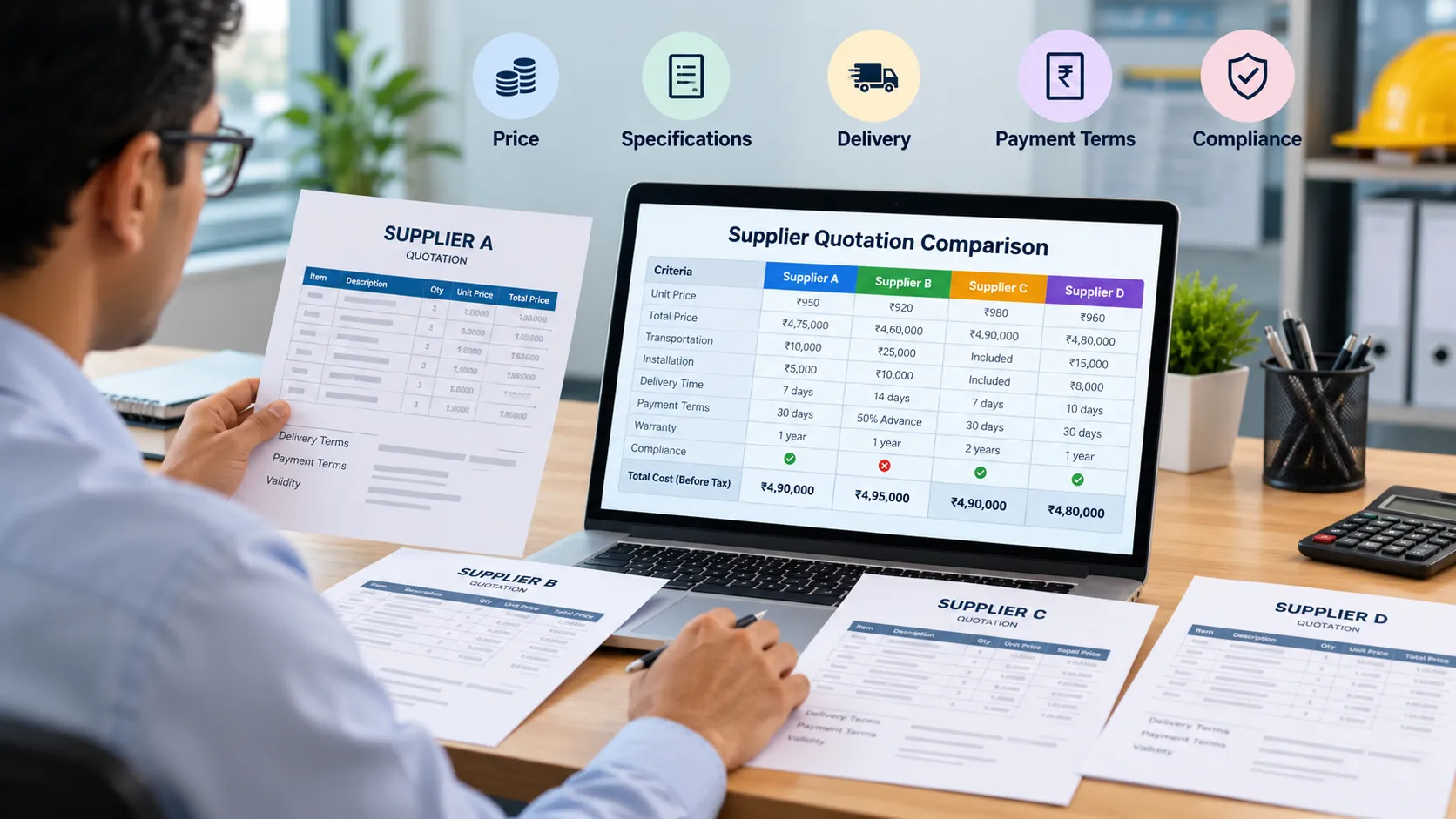
A structured supplier quotation comparison helps you evaluate these differences before making a purchasing decision.
In this guide, we’ll explain how to compare supplier quotations step by step, what to include in a comparison sheet, which mistakes to avoid, and how AI can help simplify the process.
Why Supplier Quotation Comparison Matters
Supplier quotation comparison is an important part of the procurement process. It helps purchasing teams evaluate competing offers and select suppliers based on price, quality, delivery capability, and commercial terms.
Without a consistent comparison process, teams may overlook important differences between quotations.
Common challenges include:
- Different suppliers quoting different specifications.
- Prices provided in different units or quantities.
- Transportation and additional charges excluded from the quoted price.
- Different payment terms and delivery schedules.
- Missing information in supplier quotations.
- Hours spent manually copying information into Excel.
These problems become more difficult when a procurement team receives quotations from multiple suppliers for every purchase request.
A structured comparison makes it easier to identify differences, explain the final recommendation, and maintain a clear record of the evaluation.
Step 1: Collect All Supplier Quotations
Start by collecting quotations from every supplier participating in the RFQ (Request for Quotation) process.
For example, your team may request quotations for 500 industrial safety helmets from five suppliers.
Before comparing the offers, make sure each supplier has received the same basic requirements.
These should include:
- Product or service description.
- Required quantity.
- Technical specifications.
- Expected delivery date.
- Delivery location.
- Payment terms.
- Applicable quality and compliance requirements.
Keep the original quotations for reference. Suppliers may submit their offers as PDF files, Excel spreadsheets, Word documents, or email attachments.
If the quotations contain different requirements or assumptions, identify those differences before treating the offers as directly comparable.
Practical tip: Maintain a list of suppliers who responded, those who declined, and those whose quotations are incomplete. This helps prevent missing offers from being overlooked during evaluation.
Step 2: Create a Supplier Quote Comparison Sheet
Once the quotations are collected, organize the relevant information into a common comparison format.
An Excel spreadsheet is often sufficient for a small number of straightforward quotations.
Your supplier quotation comparison sheet should include the following columns:
| Comparison criteria | What to record |
|---|---|
| Supplier name | Name of the supplier |
| Quoted unit price | Price per item or service unit |
| Quantity | Number of units quoted |
| Total price | Extended price for the quoted quantity |
| Taxes | Applicable taxes and whether they are included |
| Transportation | Freight and delivery charges |
| Delivery time | Expected delivery schedule |
| Payment terms | Advance payment, credit period, or other conditions |
| Technical compliance | Whether the offer meets the required specifications |
| Additional charges | Installation, packaging, or other applicable costs |
| Remarks | Missing details, deviations, and clarification requests |
Not every purchase requires all these fields. For a simple purchase, a shorter sheet may be enough. For equipment, engineering services, or complex projects, technical and commercial evaluation may need separate sections.
The objective is to compare suppliers using the same criteria instead of comparing unrelated figures from different documents.
Step 3: Compare the Total Cost, Not Just the Unit Price
One of the most common procurement mistakes is selecting a supplier based only on the quoted unit price.
Consider this illustrative example for a purchase of 500 units.
| Cost component | Supplier A | Supplier B | Supplier C |
|---|---|---|---|
| Unit price | ₹950 | ₹920 | ₹980 |
| Quantity | 500 | 500 | 500 |
| Subtotal | ₹4,75,000 | ₹4,60,000 | ₹4,90,000 |
| Transportation | ₹10,000 | ₹25,000 | Included |
| Installation | ₹5,000 | ₹10,000 | Included |
| Total before tax | ₹4,90,000 | ₹4,95,000 | ₹4,90,000 |
Illustrative figures only. Assumes equivalent specifications and comparable scope of supply.
Supplier B has the lowest unit price, but the total cost before tax is higher than Supplier A’s.
Supplier C has a higher unit price, but transportation and installation are included.
This example highlights an important point: the cheapest unit price does not necessarily produce the lowest overall cost.
Before ranking suppliers, confirm that all offers cover the same quantity, specifications, delivery location, and scope of work.
Also check whether taxes are included, excluded, or treated differently across quotations. Where relevant, consider other costs such as import duties, maintenance, consumables, and installation.
Procurement tip: Use a consistent cost basis for every supplier. If a charge is unknown, mark it as pending clarification rather than assuming it is zero.
Step 4: Check Technical Specifications and Compliance
Price comparison is only meaningful when suppliers are offering products or services that meet the required specifications.
Imagine that your company is purchasing industrial pumps.
One supplier quotes a pump with the required capacity and material grade. Another offers a cheaper model with a lower capacity. A third provides a quotation without specifying the material grade.
A price-only comparison could rank the wrong supplier first.
Review the technical requirements for each offer, including:
- Product dimensions and capacity.
- Materials and quality standards.
- Required certifications.
- Warranty coverage.
- Performance requirements.
- Installation and commissioning scope.
- Any mandatory customer or regulatory requirements.
Classify each requirement as compliant, non-compliant, or requiring clarification.
Do not assume that missing information means a supplier meets the requirement. Request clarification before making a final decision.
For complex purchases, technical teams should review the specifications before procurement finalizes the commercial comparison.
Step 5: Compare Delivery and Payment Terms
Two suppliers may offer similar prices but very different commercial conditions.
For example, Supplier A promises delivery in seven days and offers 30-day payment terms. Supplier B requires 50% advance payment and needs four weeks to deliver.
The best option depends on your organization’s requirements, cash flow, production schedule, and urgency.
Review these factors:
Delivery terms
- Promised delivery date.
- Partial delivery availability.
- Shipping and transportation responsibility.
- Lead time for repeat orders.
- Penalties or remedies for delays, where contractually applicable.
Payment terms
- Advance payment requirements.
- Credit period.
- Milestone-based payments.
- Discounts for early payment.
- Retention amounts or other contractual conditions.
Also review warranty, return policies, service support, and quotation validity where applicable.
These conditions can materially affect the commercial attractiveness of a quotation even when the headline prices are similar.
Step 6: Identify Missing Information and Exceptions
Before preparing the final comparison, identify information that could affect the purchasing decision.
Common exceptions include:
- Quoted quantity differs from the RFQ quantity.
- Technical specifications are missing.
- Freight charges are not specified.
- Taxes are unclear.
- Delivery commitments are absent.
- Warranty conditions differ.
- Quotation validity has expired.
- Additional charges appear in the supplier’s terms and conditions.
Record each exception against the relevant supplier.
For example:
| Supplier | Issue identified | Recommended action |
|---|---|---|
| Supplier A | Freight charges unclear | Request confirmation |
| Supplier B | Delivery time exceeds requirement | Review with operations |
| Supplier C | Material grade not specified | Request technical clarification |
This exception list is particularly useful when several suppliers submit lengthy quotations.
It helps the procurement team focus on unresolved questions instead of repeatedly reading every document from beginning to end.
Step 7: Evaluate Suppliers Using Consistent Criteria
Once you have compared cost, technical compliance, delivery, and commercial terms, evaluate the suppliers against the same decision criteria.
For purchases where a weighted scorecard is appropriate, you could use an illustrative model like this:
| Evaluation criterion | Example weight |
|---|---|
| Total evaluated cost | 40% |
| Technical compliance | 30% |
| Delivery capability | 15% |
| Payment terms | 10% |
| Warranty and support | 5% |
| Total | 100% |
These weights are examples, not universal procurement standards. Adjust them according to the purchase category, risk, and business priorities.
Some requirements should be treated as mandatory pass/fail conditions rather than offset by a high score elsewhere. For example, a supplier that fails a mandatory safety specification should not automatically qualify because it offers a lower price.
Document the evaluation method and the reasons behind the recommendation.
The final decision should also consider supplier reliability, capacity, quality history, and other relevant factors that may not appear in the quotation itself.
Common Mistakes to Avoid When Comparing Supplier Quotations
Even experienced purchasing teams can overlook important details when handling multiple quotations.
1. Selecting the Lowest-Priced Supplier Automatically
A lower quoted price may come with additional charges, weaker specifications, or longer delivery times. Compare equivalent offers using the same cost basis.
2. Comparing Different Specifications as if They Were Identical
A supplier may offer a cheaper alternative that does not meet the original requirement. Confirm technical compliance before ranking the offers.
3. Ignoring Taxes and Additional Charges
Freight, packaging, installation, duties, and other applicable charges can change the total cost. Review the quotation’s commercial terms carefully.
4. Missing Important Conditions in Long Documents
Delivery exclusions, warranty limitations, and payment conditions may appear in the fine print. Review the complete quotation and relevant attachments, not just the price page.
5. Maintaining Separate Spreadsheets for Every RFQ
Separate files and inconsistent formats make it harder to compare suppliers across a purchase. Use a consistent comparison template and maintain the original documents alongside the evaluation.
6. Making a Decision Without Documenting the Reason
A clear evaluation record helps explain why a supplier was selected and makes later reviews easier. Record material deviations, clarifications, and approval decisions.
Can AI Help Compare Supplier Quotations?
Traditional quotation comparison often involves opening multiple files, finding relevant values, copying them into Excel, and checking each supplier’s terms manually.
AI-assisted RFQ comparison can help organize this work.
Depending on the documents and the capabilities of the tool, AI can assist with:
Extracting quotation details
AI can help identify supplier names, prices, quantities, delivery terms, and other relevant information from supported quotation files.
Organizing supplier comparisons
Information from different quotations can be presented in a common structure, making differences easier to review.
Highlighting missing information
An AI-assisted workflow can flag fields that appear incomplete or require clarification.
Identifying potential deviations
The extracted information can be checked against RFQ requirements to highlight possible differences in specifications, quantities, or commercial terms.
Reducing repetitive data entry
Instead of manually copying every value into a comparison sheet, procurement professionals can use extracted information as a starting point for their review.
However, AI is not a substitute for procurement judgment. Scanned documents, ambiguous descriptions, inconsistent units, and complex commercial clauses can lead to extraction or interpretation errors.
Always verify important figures against the original quotations before making a purchasing decision.
AI should help your team perform the comparison more efficiently, not make an unverified supplier selection on its own.
Try RFQ Quote Compare AI
If your procurement team regularly receives quotations from multiple suppliers, manually preparing every comparison can become time-consuming.
RFQ Quote Compare AI is an early-stage tool designed to explore how AI can assist with supplier quotation comparison.
You can learn more about the tool and explore its current capabilities here:
If you are evaluating the tool, start with a small set of representative quotations. Check the extracted values, review the comparison against the original files, and identify where the process could save your team time.
Your feedback can also help us understand which comparison features matter most to procurement professionals.
Frequently Asked Questions
How do you compare supplier quotations?
Collect the quotations, normalize the quoted quantities and specifications, compare total costs, review technical compliance and commercial terms, identify exceptions, and document the evaluation before selecting a supplier.
What should a supplier quotation comparison sheet include?
A comparison sheet typically includes supplier names, unit prices, quantities, total costs, taxes, delivery charges, delivery times, payment terms, technical compliance, warranty conditions, and remarks about missing information.
Is Excel sufficient for supplier quote comparison?
Excel can work well when there are only a few straightforward quotations. However, manual comparison becomes more time-consuming when suppliers use different formats, documents contain many line items, or the procurement team handles several RFQs simultaneously.
How does AI help with RFQ analysis?
AI can assist with extracting information from supported documents, organizing quotation details, highlighting potential differences, and identifying missing information. Results should be verified against the original quotations before decisions are made.
Should procurement always select the lowest quotation?
No. The lowest price may not represent the best overall offer. Procurement should consider technical compliance, total evaluated cost, delivery, payment terms, supplier capability, and other relevant requirements.
What is the difference between RFQ and supplier quote comparison?
An RFQ is a request sent to suppliers asking them to provide pricing and commercial information for specified requirements. Supplier quote comparison is the subsequent evaluation of the responses to determine which offers best meet those requirements.
How many supplier quotations should be compared?
The number depends on your organization’s purchasing policy, the category, market availability, and applicable requirements. Compare the quotations required by your process and ensure the offers are evaluated consistently.
Conclusion
Comparing supplier quotations is about more than finding the lowest price. It requires a consistent approach to evaluating cost, technical specifications, delivery commitments, payment terms, and exceptions.
A structured comparison sheet can make the process easier for small purchasing teams. For organizations handling multiple RFQs, AI-assisted comparison may further reduce repetitive work and help identify differences that deserve attention.
Start by standardizing your comparison criteria, verifying the information in every quotation, and documenting the reason behind your supplier selection.
If you want to explore a more efficient way to organize supplier quotation comparisons, visit RFQ Quote Compare AI.